
How to Get a Caller ID: Complete Step-by-Step Guide for Businesses
I know what you want to do is set up a professional Caller ID name (CNAM) that helps you build trust and increase answer rates with contacts who are more likely to answer if they see your business name instead of just a number. This feature is exclusively available to paying customers who represent a business with a Tax ID and an approved US carrier registration.
Quick Start: Get Your Caller ID in 5 Steps
For businesses using a virtual number provider (VoIP) like Quo (formerly OpenPhone) or Calilio, the setup process is typically integrated into the platform.
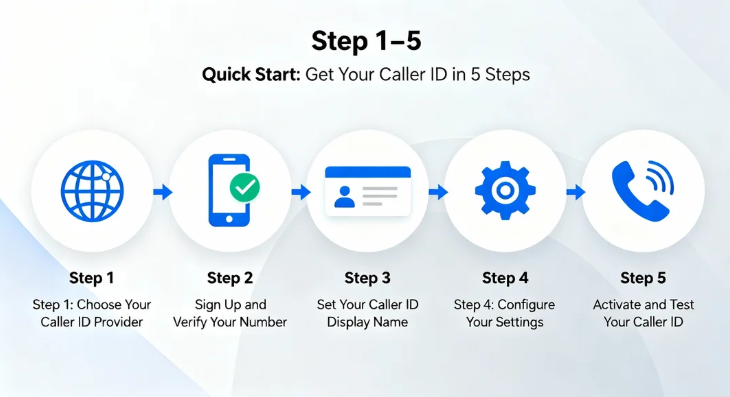
Step 1: Choose Your Caller ID Provider
Select a carrier or a Virtual Number Provider that supports CNAM submission. Providers like Quo submit your CNAM information to national databases.
Step 2: Sign Up and Verify Your Number
After signing up for a suitable plan, purchase or activate your virtual phone number. Some virtual providers, like Calilio, require an OTP (One-Time Password) sent to the number to complete the verification process.
Step 3: Set Your Caller ID Display Name
Within your provider’s settings (e.g., Quo: Settings → General → Add a name), you must define your desired CNAM according to strict rules:
- The CNAM must be a maximum of 15 characters.
- It must only contain letters, numbers, periods, commas, and spaces; special characters (like “+”) are not permitted.
- The name must relate to your registered business name.
- You cannot use generic terms such as “Private,” “Unavailable,” or “Unknown”.
Step 4: Configure Your Settings
Assign the newly created caller ID name to the specific phone numbers that will use it for outbound calling. This feature is typically set at the phone number level; all team members using that number will display the same CNAM.
Step 5: Activate and Test Your Caller ID
The provider submits your CNAM for approval. You should periodically test your caller ID on various devices and networks to ensure correct and consistent display.
Estimated Time to Activation
Initial approval typically takes 48 hours. After approval, allow 2–3 additional days for the caller ID to propagate across all carriers. Full CNAM registration changes may take 2–4 weeks to fully propagate across all databases.
What Is Caller ID? Why Your Business Needs It
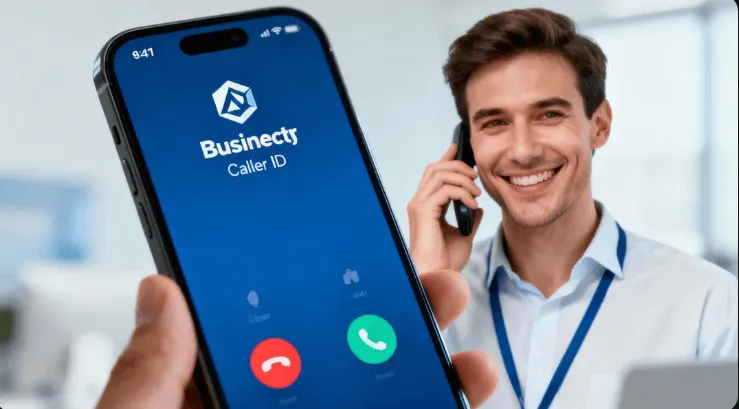
Caller ID Definition and Components
Caller ID is the information displayed on any Caller ID-enabled device, consisting of the phone number and sometimes the name of the caller. The service is offered by almost every commercial phone provider, including landline, VoIP, and mobile phone services.
How Caller ID Works (Technical Explanation)
When a call is made, the phone company sends the caller information as part of the call, typically using ASCII code before the phone rings. The key distinction is between the number and the name:
- Caller ID Number: This number is set by the caller’s provider and travels with the call.
- Caller ID Name (CNAM): This name is typically controlled by the recipient’s phone
- company. The recipient’s carrier checks a shared system of databases, known as the Line
- Information Database (LIDB), to match the incoming number with a name.
This CNAM system is decentralized, which is why updating it accurately across all different carriers and devices can be difficult, leading to display inconsistencies.
Caller ID Name and Number: What Information Displays
While the phone number always displays (unless blocked), the accompanying name (CNAM) may be inconsistent. Most Caller ID screens display a maximum of 15 characters. Display policies and database update schedules vary by recipient carrier.
Phone Number Caller ID vs. Private Number Caller ID
When a caller intentionally blocks their number (e.g., by dialing ∗67 or toggling a setting), the recipient sees “No Caller ID,” “Private,” or “Blocked”. Conversely, an “Unknown” or “Unavailable” caller may result from the incoming call lacking the necessary data due to network issues, or if the call originated from certain equipment, like some cell phone networks or operator-assisted calls.
Why Getting Caller ID Matters for Business Success
Displaying your business information professionally helps you:
- Enhanced Professionalism and Brand Recognition: Reinforces your brand and makes a positive first impression.
- Increased Trust and Higher Call Response Rates: Clients are more likely to answer calls when they recognize the caller’s identity.
- Flexibility and Mobility: Virtual numbers allow remote teams to make calls from any device while maintaining a consistent business presence.
How to Get a Caller ID: Complete Setup Guide
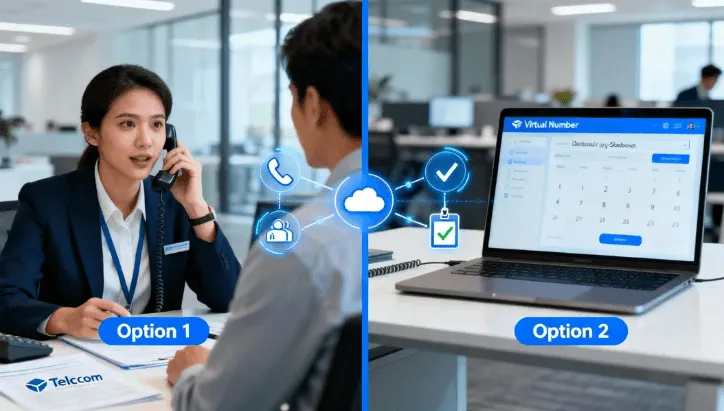
Option 1: How to Get a Caller ID Through Your Current Provider
Caller ID service is often included with traditional phone plans, such as Brightspeed’s Price For Life packages, or it can be purchased for a monthly fee. If your name is appearing incorrectly, and it has been more than four business days since activation, you should contact your carrier to correct the problem.
Option 2: How to Get a Caller ID with a Virtual Number Provider
VoIP solutions allow businesses to utilize virtual numbers managed over the internet, enabling integrated CNAM features.
Business VoIP Solutions with Integrated Caller ID
Platforms like Dialpad allow users to set a Global Caller ID that serves as the default for outbound external calls across all devices, including desktop and mobile apps.
How to Get Caller ID on iPhone
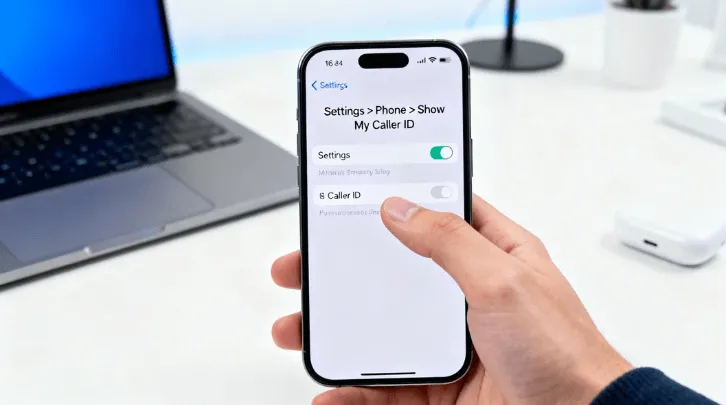
On an iPhone, you can control the display of your outgoing number:
- To check if your outgoing caller ID is enabled: Go to Settings → Phone → Show My Caller ID. Toggling this feature on allows your number to be displayed.
- To announce incoming callers (caller ID announcement): You can check the settings on your device or use instructional resources.
How to Get Caller ID on Android
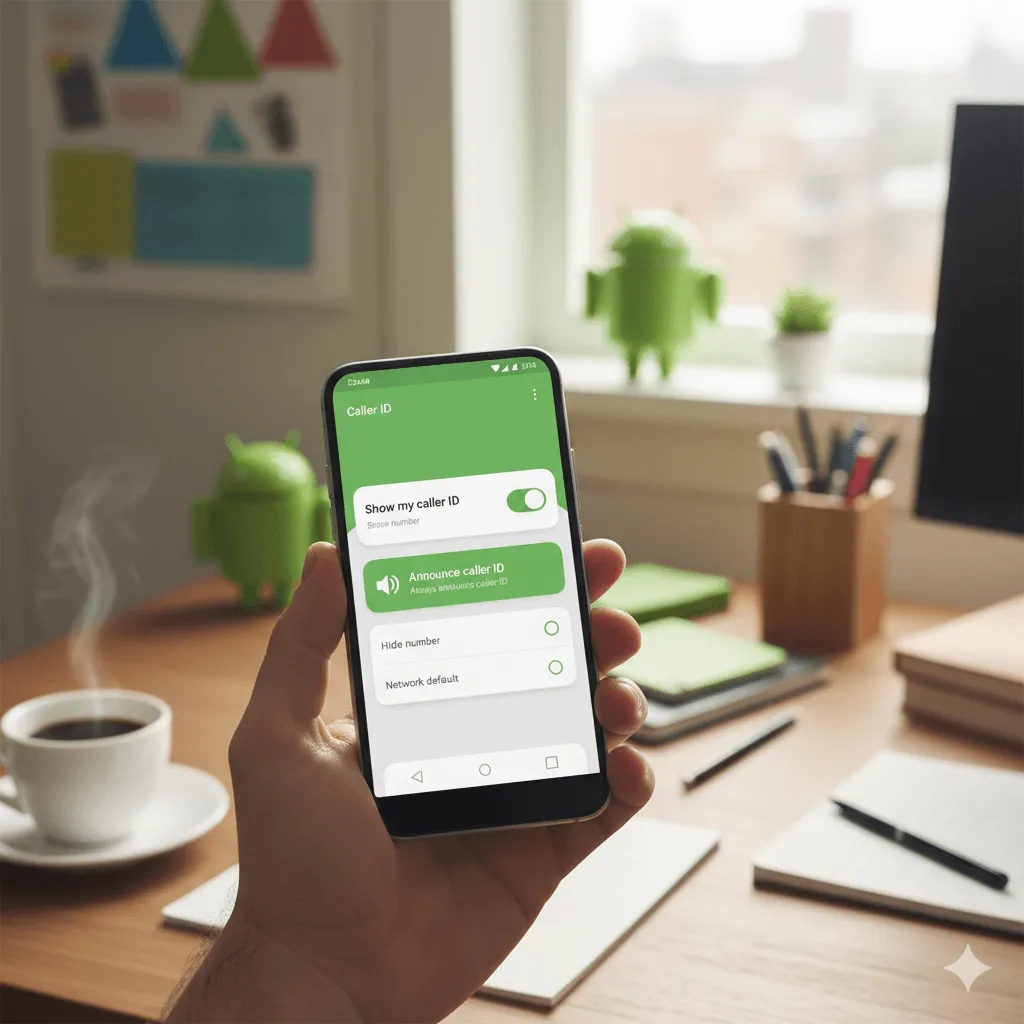
On Android, you can manage your outgoing and incoming caller ID features:
- To enable your outgoing caller ID: Open the Phone App → More options (three dots) → Settings → Calls (or Supplementary services) → Caller ID → select Show number.
- To announce who is calling: Open the Phone App → Settings → Caller ID announcement.
Types of Caller ID Services: Which One to Choose
How to Get a No Caller ID Number (When Anonymity Required)
There are multiple ways to hide your outgoing number, making your identity show up as “Private,” “Blocked,” or “Unknown”.
| Method | Actionable Steps | Scope |
| Per-Call Blocking | Dial *67 before the recipient’s area code and phone number. | Single call only. |
| Global Blocking (Android) | Go to Phone App → Settings → Supplementary services → Hide number. | All outgoing calls. |
| Global Blocking (iPhone) | Go to Settings → Phone → toggle Show My Caller ID off. | All outgoing calls. |
Important Compliance Note: While hiding your ID is allowed, using caller ID blocking with the intent to defraud, cause harm, or wrongfully obtain anything of value is illegal in the US.
Business Caller ID vs. Personal Caller ID
CNAM registration for businesses requires a Tax ID and approved US carrier registration. You cannot use your personal name as a caller ID; the name must relate to your registered business name.
Free vs. Paid Caller ID Solutions
- Paid/Business CNAM: Necessary for setting your outgoing business name, usually included in commercial carrier or VoIP services.
- Free Reverse Lookup: Tools like Truecaller offer the ability to instantly identify unknown numbers, including a crucial Spam/Scam Warning, at no cost.
How to Customize and Manage Your Caller ID
Adjusting Caller ID from Your Main Dialer
In VoIP applications like Dialpad, you can adjust your caller ID on the fly from the Main Dialer or within a Conversation Thread by selecting the drop-down menu next to the dialling icon and choosing a preferred number.
Turn Caller ID ON/OFF Based on Call Type
If you have globally hidden your number via settings, you can override this for a single call by dialing the vertical service code *82 before the recipient’s number.
Updating Your Caller ID Display Name
To update your CNAM in platforms like Quo, navigate to Settings → General, find your existing name, click the three dots, and choose Update name. While the changes are pending approval, your previously approved CNAM will continue to display.
Note that older CNAMs (created before 2024) may have limitations and often must be deleted and recreated to adhere to current requirements.
Common Issues: How to Get Your Caller ID Working
Caller ID Not Displaying Correctly
Display issues are common because carriers use different databases and update policies.
| Issue | Common Reasons (Source Control) | Solution |
| Name Not Displaying | The recipient carrier uses outdated data or does not support CNAM. The propagation time is too short. | Ensure accurate submission and consistent formatting (max 15 characters, no symbols). Allow 2–4 weeks for full propagation. |
| “OUT OF AREA” or “UNKNOWN” | Call lacks necessary data (e.g., from cell phone networks, call centers, or operator-assisted calls). | Cannot be controlled by the caller; the issue lies with the calling party’s equipment/network. |
| “NO DATA SENT” | The phone was picked up too quickly, before the second ring, preventing data capture. | Wait until after the second ring to answer the call. |
Number Type Limitations: CNAM is not available for toll-free numbers (as they are designed for receiving calls only) and not supported for Canadian numbers due to carrier limitations.
Getting Your Caller ID Approved
If your CNAM is rejected, verify it meets the requirements: it must relate to your registered business name, be 15 characters or less, and not contain special characters.
If your name or number is not appearing correctly after four business days of service activation, contact your provider for correction.
How to Get Caller ID Recognition on Lookup Services
To maximize the chance your business name appears, registering your numbers with a reputable CNAM registry is critical, as carriers rely on databases like the LIDB.
Registering with Major Caller ID Lookup Services
Many reverse phone lookup tools leverage shared databases and community reports.
Truecaller, trusted by over 450 million people globally, focuses on immediate safety by using real-time community reports and proprietary AI to identify unknown callers, telemarketers, and advanced scams instantly.
Truecaller provides a crucial Spam/Scam Warning and risk rating, which is highly effective even for unlisted cell phone numbers.
Caller ID Security: What You Need to Know
What Is Caller ID Spoofing?
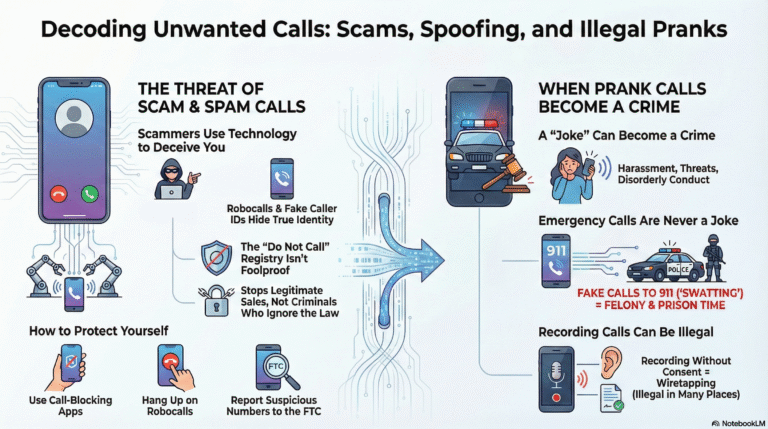
Spoofing occurs when a caller deliberately falsifies the information transmitted to the recipient’s caller ID display to disguise their identity, often to appear harmless or circumvent calling laws.
When Is Spoofing Illegal?
Caller ID spoofing is generally illegal in the United States if it is done “with the intent to defraud, cause harm, or wrongfully obtain anything of value”.
Protecting Your Caller ID from Spoofing
If your number is incorrectly labeled as “Scam Likely,” some providers (like Quo) automatically enroll new customers in Voice Integrity programs to help prevent this. You can also register with the FCR (Free Call Registry) for an additional level of prevention.
Finding Unknown Numbers: How to Get Caller ID Info on Incoming Calls
If you are concerned about incoming calls that show as “No Caller ID” (a deliberately hidden number), you can attempt to identify or trace them.
Using ∗57 and ∗69 Codes
These feature codes can be used to manage unidentified calls:
- *69 (Last-Call Return): Dials back the last private number that called you, whether you answered or not, and unmasks the number.
- *57 (Call Trace): Tracks the last call received and alerts your phone service provider and, if necessary, local law enforcement to potential criminal activity. This service is usually not free.
Phone Number Lookup and Reverse Lookup Services
Reverse phone lookup tools allow you to enter a number and find out the name, location, and potential Spam Risk Rating associated with it.
Truecaller provides this core identification for free. Third-party apps like TrapCall can intercept blocked calls and use software analysis to reveal the caller’s identity. Hiya also offers auto-blocking and reverse lookup capabilities.
Platform-Specific Guides: How to Get Caller ID
How to Get Caller ID on Dialpad
Dialpad users can customize their caller ID in several ways:
- Set Global Caller ID: Navigate to Your Settings → Caller ID and choose a default number for outbound calls.
- Adjust Per-Call: Customize the caller ID shown on a single call via the Main Dialer or the Conversation Thread views.
Getting Caller ID at Scale (Enterprise Solutions)
For large operations, professional services can assist with CNAM submissions and updates to improve accuracy across carriers.
Furthermore, Branded Caller ID (BCID) is a paid service that gives a company control over the name displayed on mobile devices, helping to reduce skepticism and increase connect rates.
Advanced Tools for Getting More from Your Caller ID
Call Blocking and Spam Protection Tools
To avoid unwanted calls:
- Anonymous Call Rejection: Dial *77 to block callers who withhold their phone numbers, forcing them to hear a message that you do not accept calls without caller ID information.
- Device Blocking: iPhone users can toggle on Silence Unknown Callers in phone settings. Android users can enable Block unknown callers in the Phone app settings.
- Apps: Truecaller, Hiya, and TrapCall automatically identify and block suspicious numbers.
FAQ: Everything About Getting Caller ID
Q: How long does it take to get a caller ID?
Initial approval is typically 48 hours, followed by 2–3 additional days for carrier propagation. CNAM updates can take 2–4 weeks.
Q: how do i get a caller id for my business name?
Business CNAM requires paid services and registration. Reverse lookup identification (e.g., Truecaller core services) is often free.
Q: Do I need special equipment?
You need a Caller ID-enabled phone or a standalone Caller ID box.
Q: Can I have multiple caller IDs on one phone line?
You can create multiple CNAMs and assign them to different numbers in your workspace, provided they relate to your business.
Q: How to call without showing caller ID?
Dial *67 before the number you are calling.
Q: How to hide my outgoing caller ID?
Use *67 per call, or use the built-in phone settings (Android: Settings → Hide number; iPhone: toggle Show My Caller ID off).
Q: Can I hide my caller ID after setting it up?
Yes, you can use *67 for single calls. If you hide it globally, you can unblock it per call using *82.
Q: How to find no caller ID numbers?
Use *69 to dial back and unmask the last private number. You can also use *57 for legal tracing, or use third-party lookup apps.
What are reverse phone number lookup services?
Tools that allow you to enter a phone number to find the associated name, location, and critical Spam Risk Rating.
Is caller ID spoofing illegal
Spoofing is generally illegal in the US if carried out with the intent to defraud, cause harm, or wrongfully obtain value.
How do I turn on my caller ID?
- Open the Phone app.
- Tap More options → Settings → Caller ID.
- Select Show number or Network default.
Q: How do I activate caller ID on my iPhone?
- Go to Settings → Phone → Show My Caller ID.
- Turn the toggle ON.
If it’s greyed out, contact your carrier for assistance.
Q: How do I get my phone to tell me who’s calling?
Enable Caller ID Announcement:
- Open the Phone app.
- Go to Settings → Caller ID announcement.
- Choose Always, Only when using a headset, or Never.
Your phone will then speak the caller’s name or number during incoming calls.
Q: Can I trace a blocked caller ID?
Yes, private, blocked, and restricted calls can usually be traced using *57.
However, calls marked “unknown,” “unavailable,” or “out of area” cannot be traced because they lack the required data.
Q: Does the iPhone have a caller ID feature?
Yes.
- Go to Settings → Phone → Show My Caller ID and toggle it ON.
If the feature isn’t working, you won’t see who’s calling, so make sure it’s turned on or contact your carrier.
*Q: What does 57 do on your phone?
*57 activates Call Trace, which records the last incoming call details and forwards them to law enforcement.
It’s used for harassing or threatening calls.
Q: Why is my phone not showing who is calling me?
Check these:
- Ensure Show notifications and Incoming call channel are ON.
- Set Behavior to “Make sound and pop on screen.”
- Make sure Show My Caller ID is enabled in your settings.
Q: Does 69 tell you who called?
Yes.
*69 redials the last number that called you and sometimes announces the number.
*67, on the other hand, hides your number when calling someone.
Q: How do I turn caller ID on or off on Android?
- Open the Phone app.
- Tap Settings → Supplementary services / Calls → Caller ID.
- Choose Show number to display or Hide number to hide your ID.
Q: How do I activate “No Caller ID” on my iPhone?
- Go to Settings → Phone → Show My Caller ID, then turn it OFF.
- You can also dial #31# + phone number to hide your ID for a single call.
Q: Can you find out who called from “No Caller ID”?
You can try:
- Dial *69 to return the last private call.
- Dial *57 for law enforcement tracing.
- Use third-party apps like Truecaller or Who Called Me?
- Ask your carrier for tracing support.
Q: What does *82 do?
*82 unblocks your caller ID for a single call, showing your number even if you normally have it hidden.
Q: How do I hide my outgoing caller ID?
- Dial *67 before the phone number.
- Or, in Settings → Phone / Calls → Show My Caller ID, toggle it OFF.
Q: Can I call a no caller ID back?
Dial *69 to call back the last private number that called you.
Q: How do I check who called me?
Use reverse phone lookup sites like Truecaller or WhoCalledMe.
Q: Does caller ID work on cell phones?
Yes, caller ID is available on most landline, VoIP, and mobile networks.
Q: What is *77 on your phone?
*77 blocks anonymous callers who hide their numbers.
Q: What does *66 do to your phone?
*66 activates Auto Redial for a busy number.
Q: Will a blocked number know they are blocked?
No. They may hear a busy signal or call failure message.
Q: Is hiding caller ID legal?
Yes, unless used to defraud, harm, or impersonate others.
Q: What is the 31 caller ID?
Dial #31# before a number to disable caller ID for a single call.
Q: What is 1471 used for?
1471 tells you the last number that called and allows callback by pressing 3.
Q: What is *#234 caller ID?
Dial *#234# to check caller ID display status. Dial *234# to enable it.
Q: Where is the caller ID on my Android?
Phone → Settings → Caller ID & Spam → enable caller ID visibility.
Q: Can you find out a caller ID number?
Dial *69 or contact your carrier for call trace services.
Q: Do cell phones show name on caller ID?
Yes, carriers display the name from their CNAM database during calls.
Q: What is phone spoofing?
When a caller falsifies their caller ID to disguise their identity.
Q: Can police see caller ID?
Yes, carriers can provide caller details to law enforcement upon request.
Q: Does *67 go through if you’re blocked?
No, *67 won’t bypass a number that has blocked anonymous calls.
Q: Can you unmask no caller ID?
Use *69, *57, or contact your carrier for tracing. Apps may also help reveal hidden numbers.
Q: How do I change the name that appears on caller ID?
Contact your carrier to update your CNAM record, which controls the name shown on caller ID.
Best Practices: Getting the Most from Your Caller ID
To ensure the highest likelihood of successful CNAM display, treat it as an active asset:
- Professional Caller ID Setup Standards: Keep the CNAM under 15 characters and maintain consistent formatting across all submissions to reduce display errors.
- Regular Updates and Maintenance: If your CNAM details change (e.g., company name), update the information immediately. Because CNAM data is decentralized, ensuring that your data is current and correctly registered increases the odds that carriers will display your name consistently.
Bonus: if you want to know any specific country phone number we recommend you to use our free Temp Phone Num Gen.